From the first initial request, to the delivery of the report, we use a web based, real time Report Dashboard. This innovative solution allows seamless interaction between the key stakeholders in the process.
- Using your account, you can log on at any time and request a report, providing us with the minimum pieces of information to start the process.
- Immediately, we begin the process of determining Report Jurisdiction. Using decades of combined experience, we can often pinpoint the correct agency within minutes and begin the process of tracking down your report.
- We update and append the key information such as Report Number, and other key data as the report process continues.
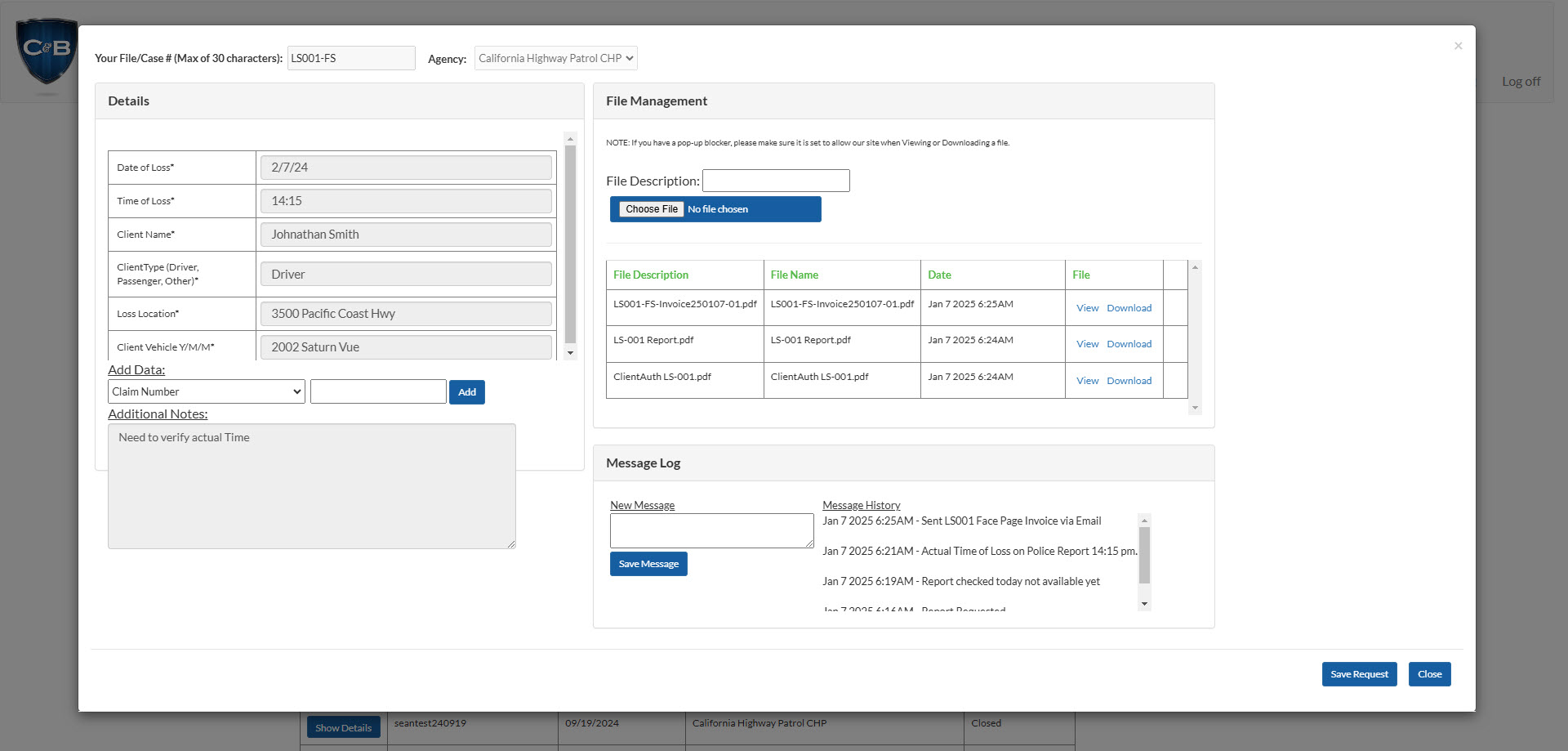
- Our Log allows you to see activity happening in Real Time between our offices, couriers, and specialists, as well as send and receive critical, additional information.
- Upon receiving the report, our field couriers upload the report, which is then reviewed by our internal account managers for accuracy.
- The report is delivered to you electronically as soon as verification has been made. You can include your general claims processing email as well for even more efficiency.
By incorporating a modern technology platform with outstanding personal service the solution becomes much more effective. You can check your requests at any time, and we can update you instantly. Our knowledge and experience plus our "boots on the ground" approach is reflected in real time on our technology platform. You get unprecedented service and reliability, with instant delivery.
Entry is simple, selecting from a basic set of categories, and we take over determining jurisdiction.
- Enter your File/Case#/Claim Reference
- Select the Report you are looking for
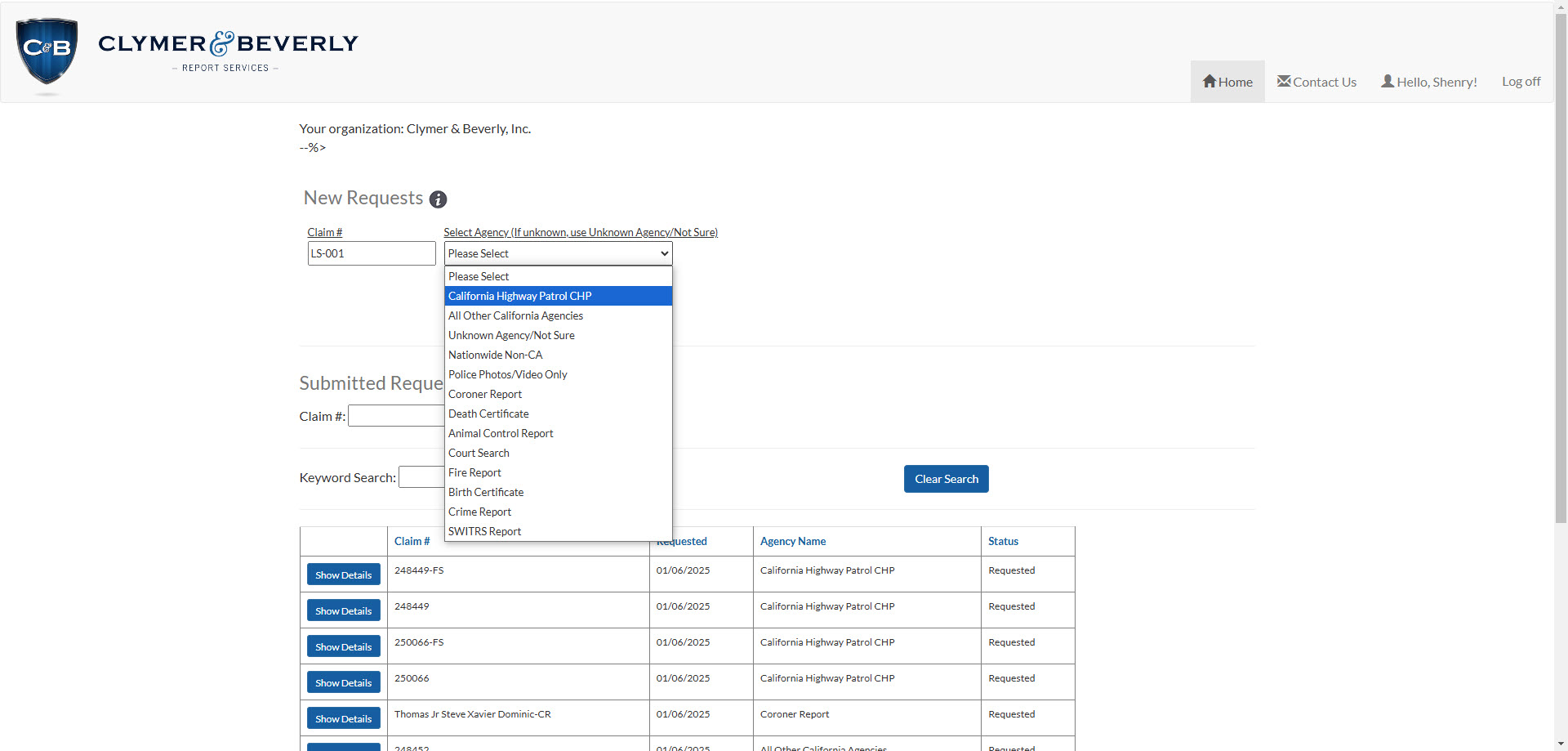
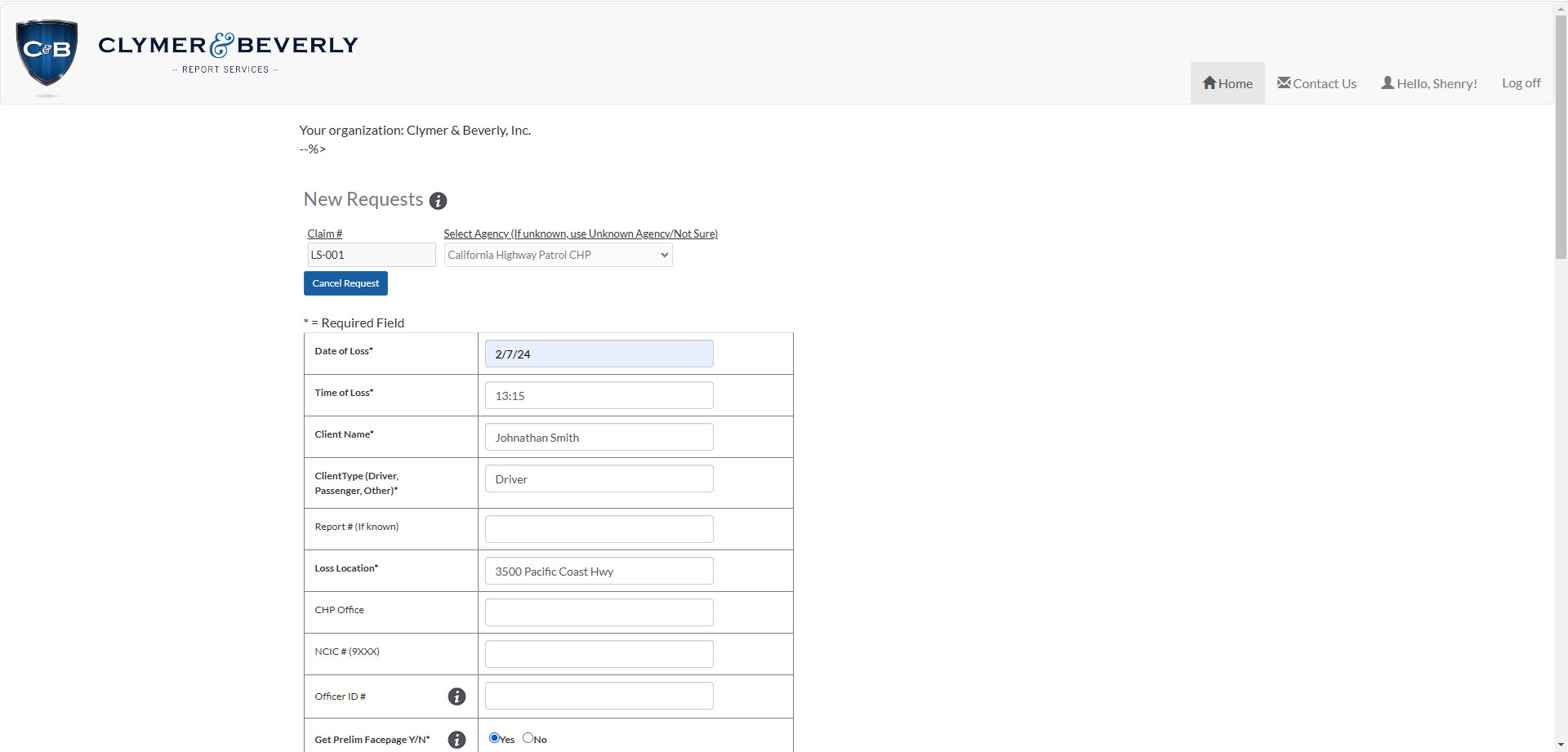
Enter the details you have, and we will provide the rest.
- Required Fields have an *, all additional fields are helpful but not Required.
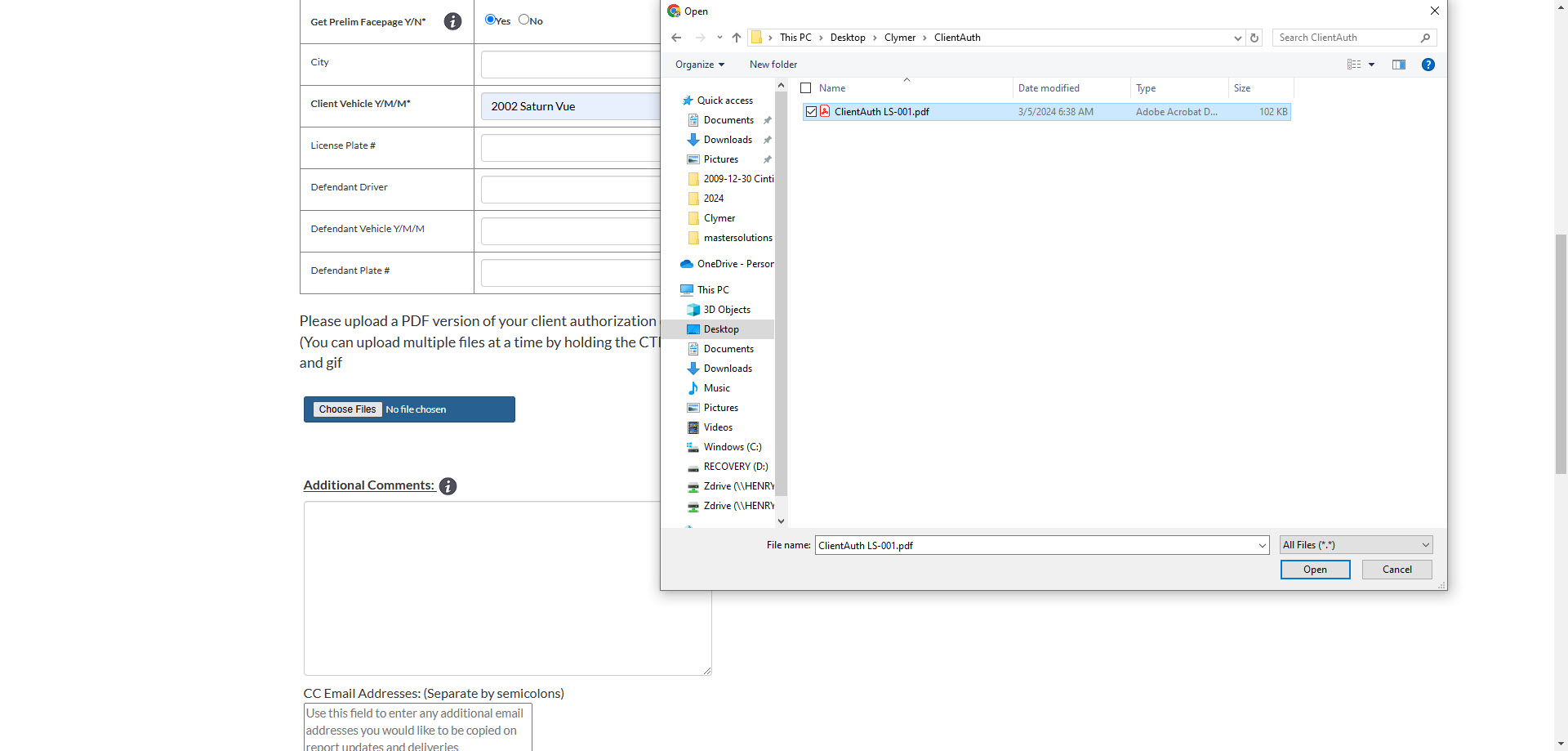
- For Legal Services, upload your Client Authorization
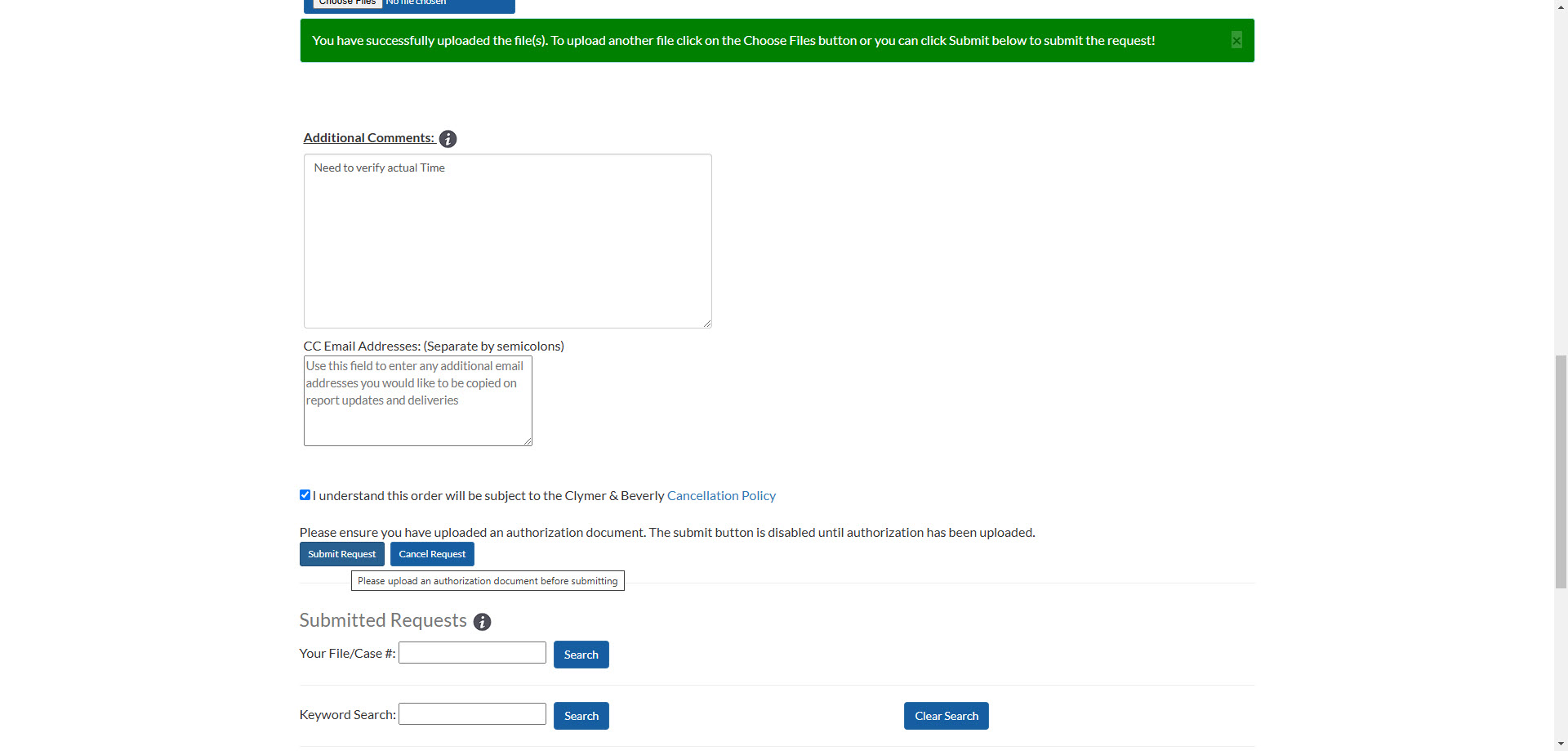
- Add any additional comments, and any Email addresses you wish to receive the confirmation
Enter you Claim/File/Ref#, and select the type of Report you need
Enter the key data that is required. We typically need 5-6 basic data elements. Anything else is very helpful, but not required.
If an Authorization is required from your client, you can upload it as part of the entry. Almost all Report Requests require a client authorization, and we can help you define the most effective template for 3rd party request.
You can enter any additional free form notes, include other email addresses to receive the request confirmation, and submit your request.
You wills ee confirmtion of the submitted request, and receive an email confirmation immediately.
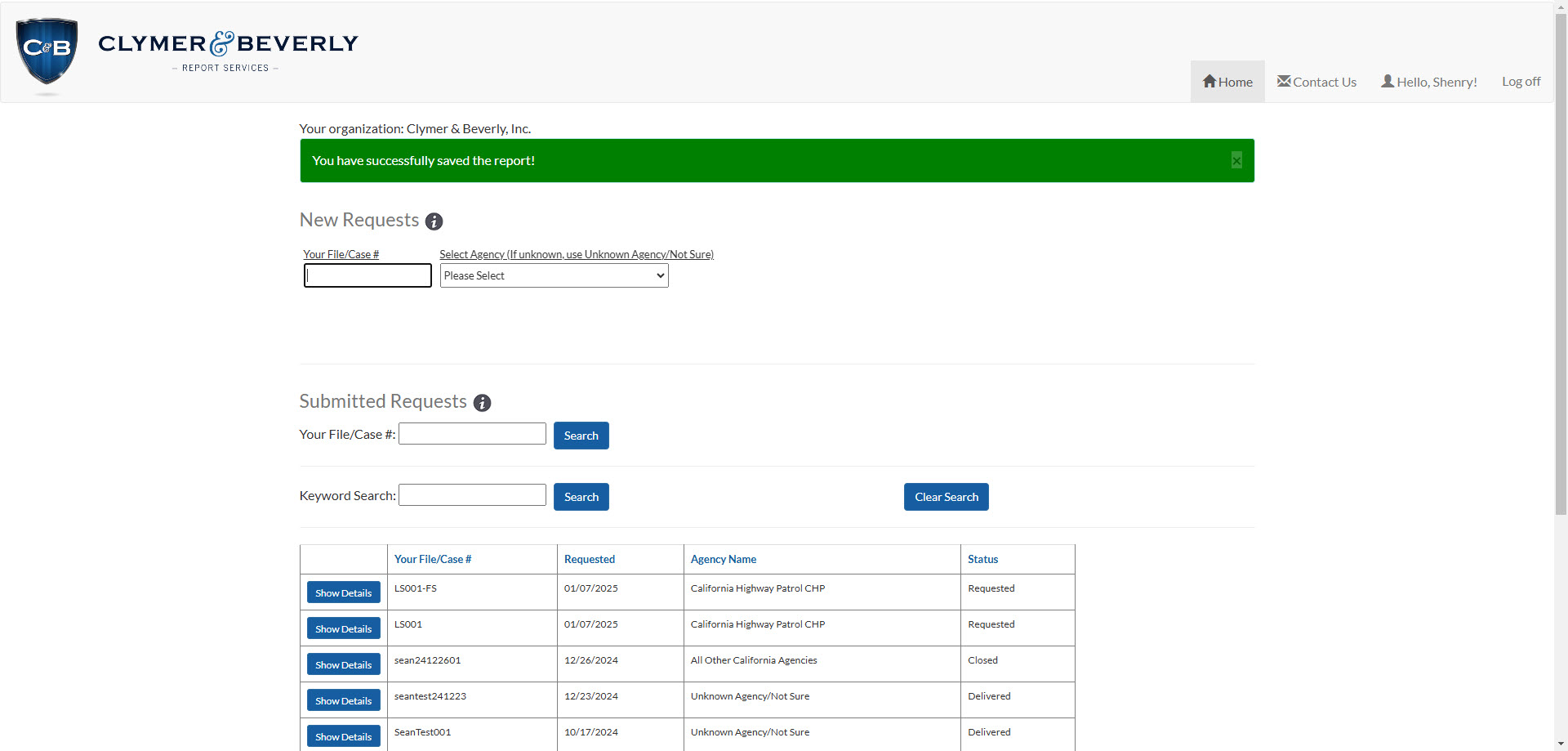
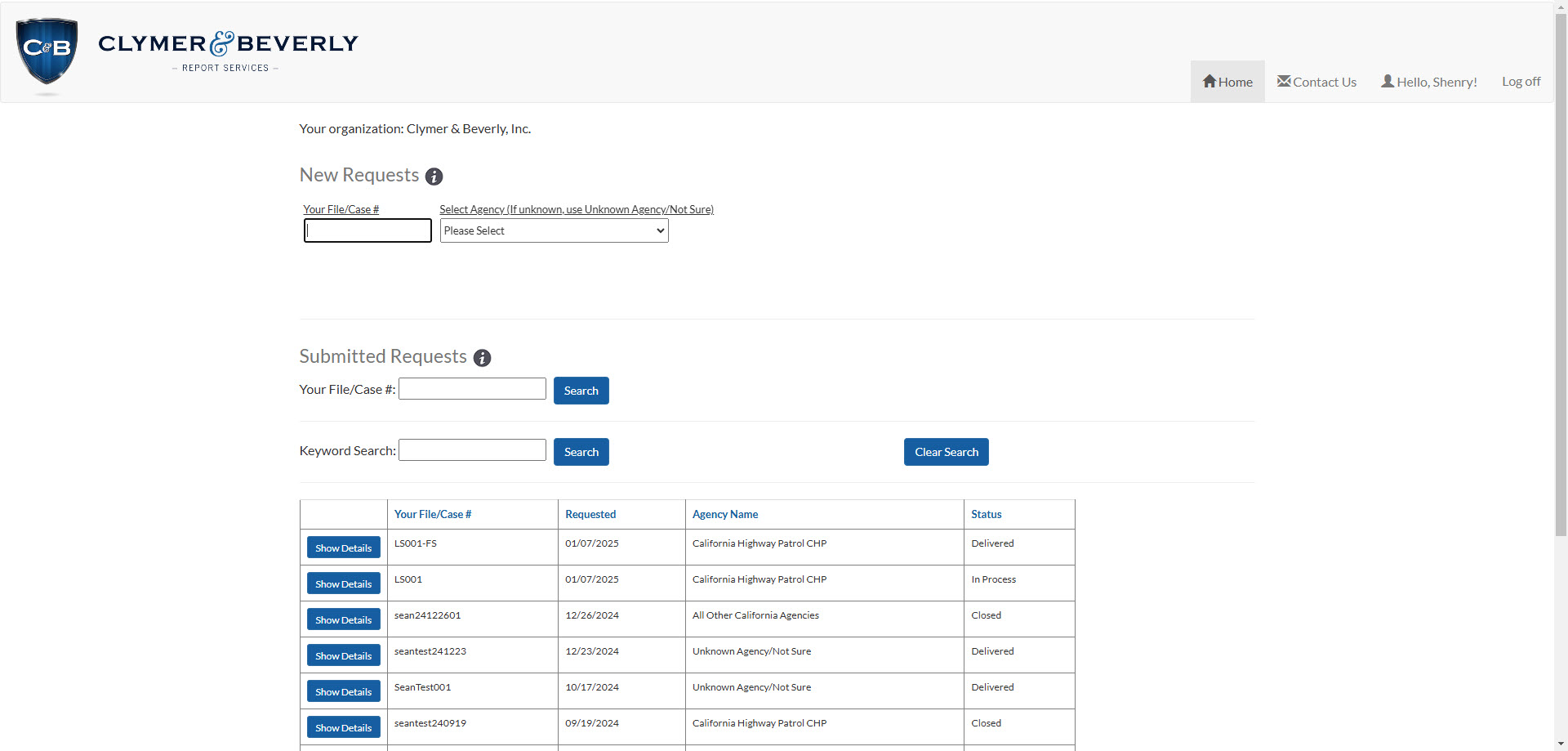
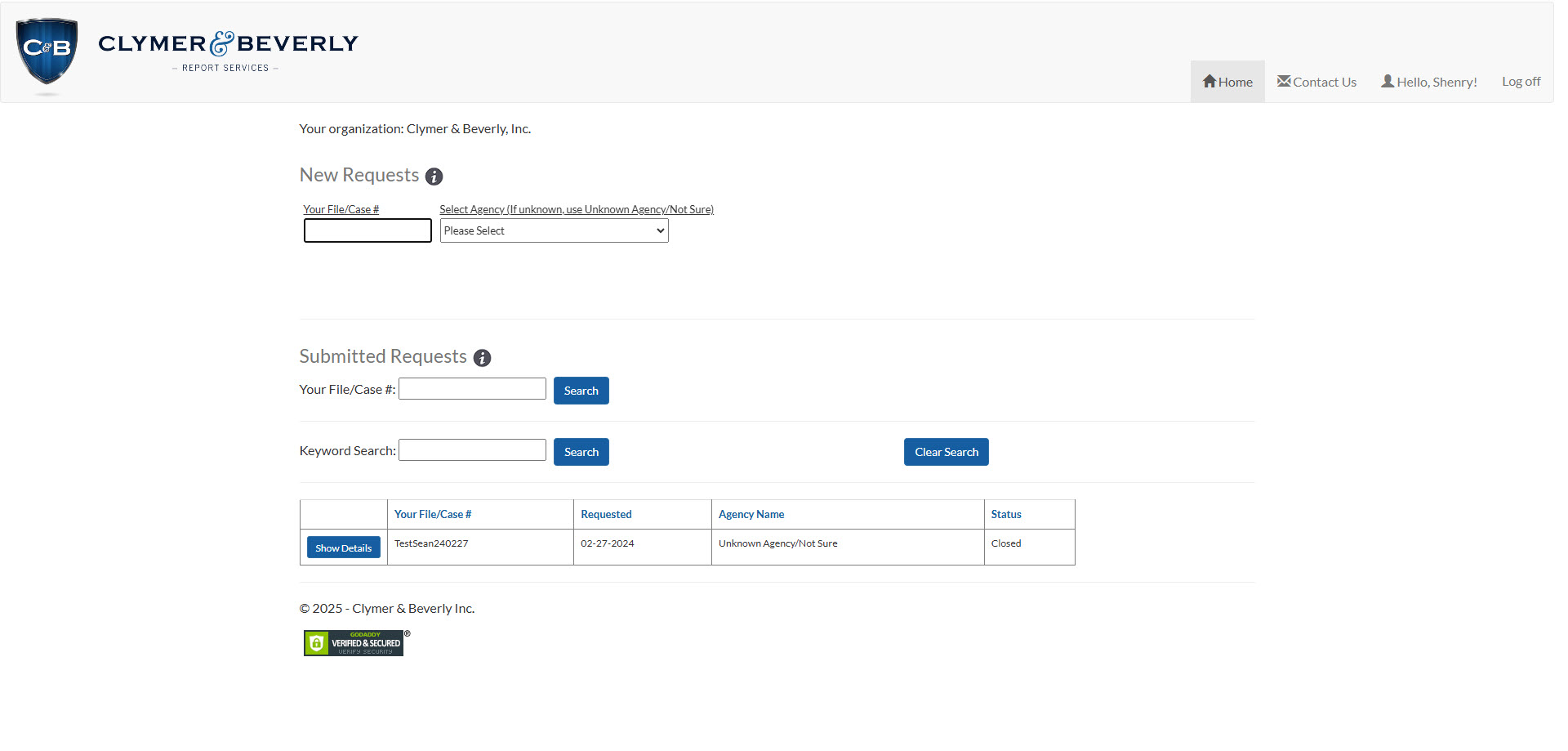
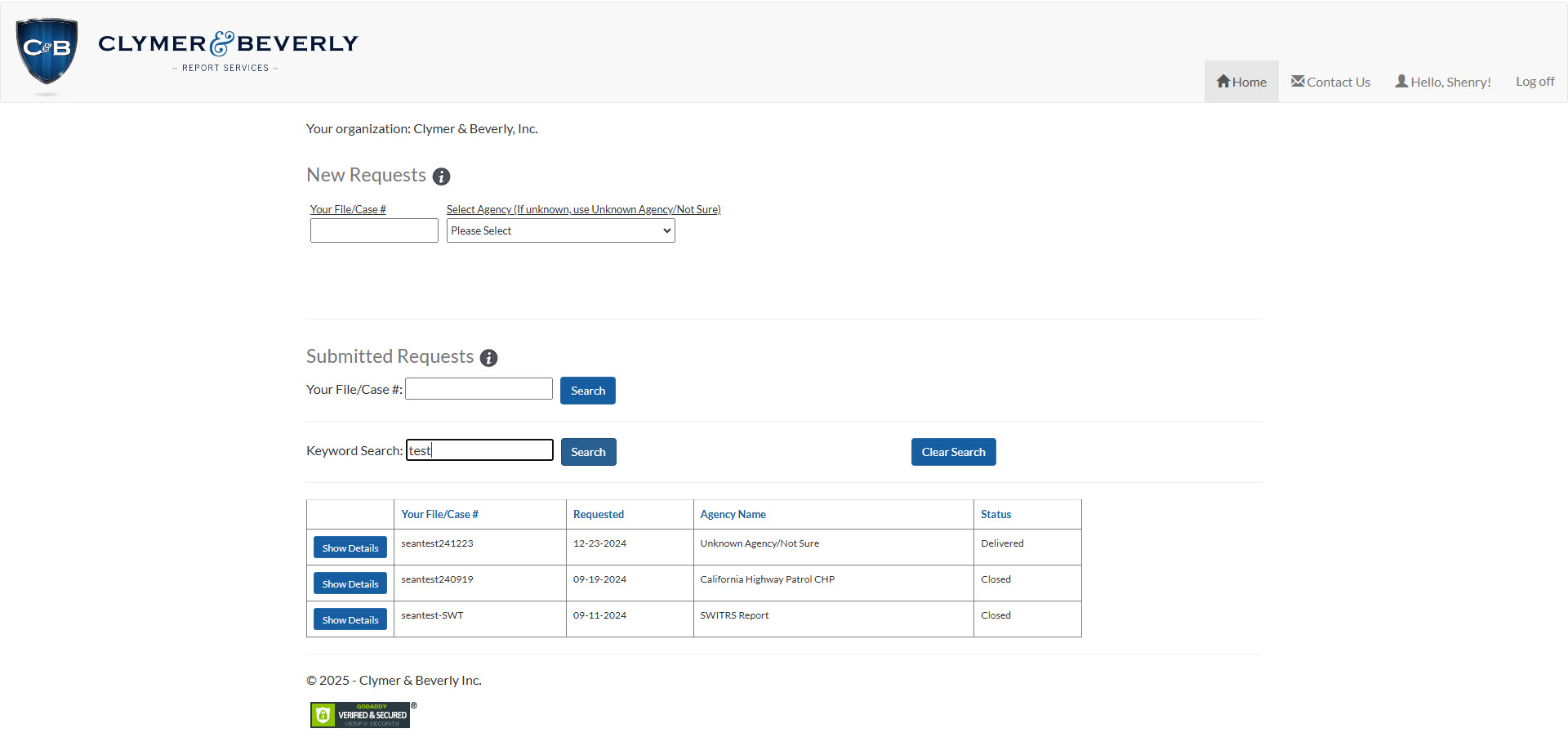
Manage existing requests, and access them any time. All data is updated in real time.
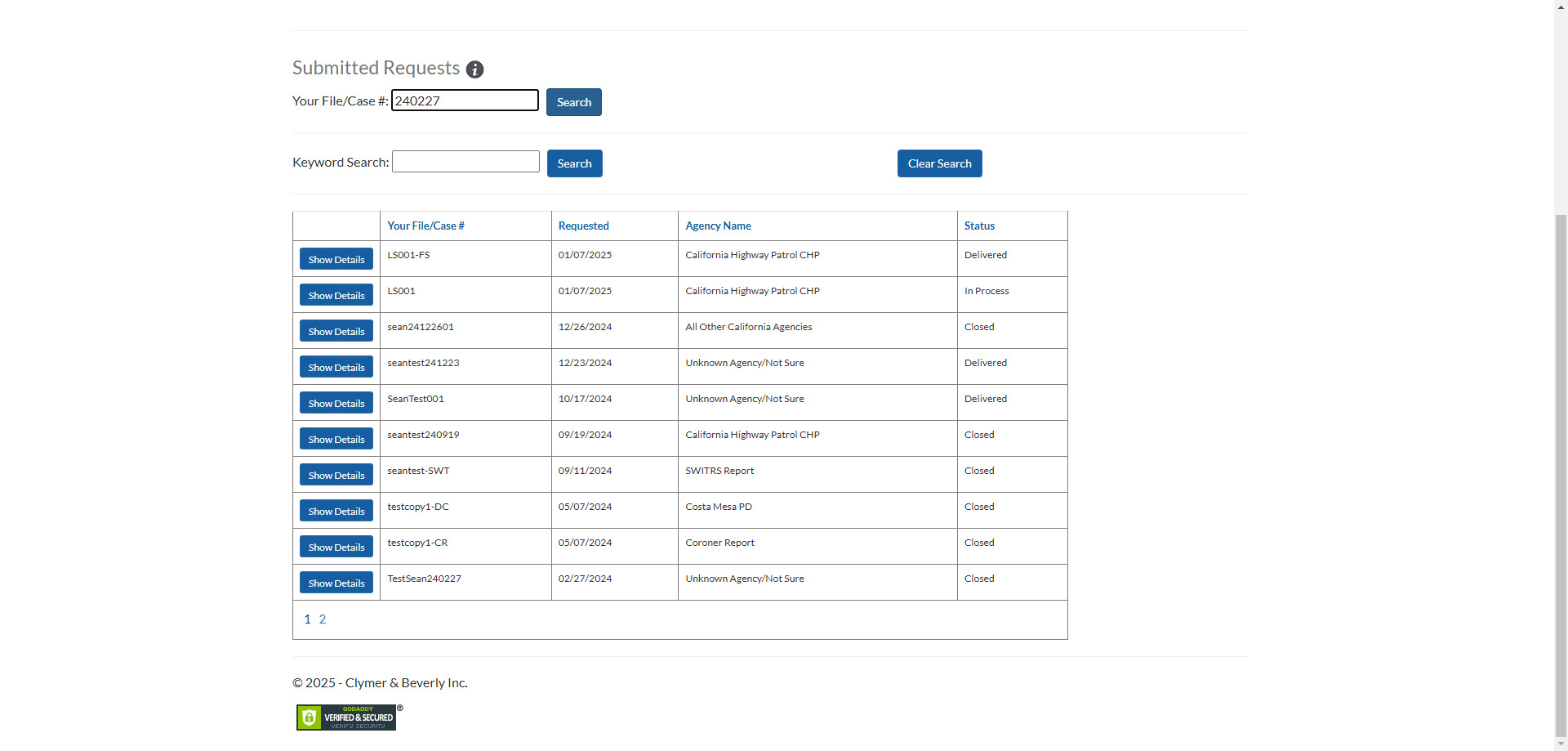
- All your requests are presented in a Grid
- You can view details, communications, and access all files associated with this Request
- You can Search the Requests by your reference number, or key words
Once you submit your Request, Clymer & Beverly begins to deterine Report Jurisdiction, and get status and availability ASAP. We will update the status regularly, and contact you if we need any additional information, or find errors.
All submitted requests are available for you on the Report Dashboard, and are constantly updated. You can also contact us via the communications log, and see any notes and updates from us.
If you need help learning how to use your Report Dashboard, or want to know more about our services, please contact us.
Contact Us.
Clymer & Beverly Inc.
2110 Artesia Blvd. #B115
Redondo Beach CA 90278
P: 310-372-2226Inquiries: info@clymerbeverly.com